


Bluetooth Vertical Wireless Mouse with OLED Screen USB RGB Rechargeable Mouse for Computer Laptop Tablet Ergonomics Mice Gaming
■ Recharge indication
■ Light and OLED display status indicators
■ Low-battery warning: the battery icon on the screen will flash as a warning once the battery’s power level drops to 30%.
₵483.99
Price negotiable?: No
Delivery time: 14-26 days
Origin: Ships from abroad
Call the Seller
Highlighted Specifications
Condition: New
Colour: Grey
E-Brand: JOMAA
Hand orientation: Right-handed
Connection: Bluetooth 5.0, Wireless 2.4G
| Attributes | Value |
|---|---|
| Weight | 0.11 kg |
| Dimensions | 11.00 × 7.20 × 7.50 cm |
| E-Part | Mouse |
| Connection | Bluetooth 5.0, Wireless 2.4G |
| Hand orientation | Right-handed |
| Condition | New |
| E-Brand | JOMAA |
| DPI | 1000, 1600, 2400, 3200 |
| Colour | Grey |
| Power source | Rechargeable batteries |
| Application | Desktop, Laptop/notebook |
| Supported OS | Mac OS, Windows |
| Features | OLED display |
| Payment | Online |
| Region | Upper West |
| Origin | Ships from abroad |
| Price negotiable? | No |
| Delivery time | 14-26 days |
| District | Wa municipal |
| Town | Wa |
| Color | Gray |
0 reviews for Bluetooth Vertical Wireless Mouse with OLED Screen USB RGB Rechargeable Mouse for Computer Laptop Tablet Ergonomics Mice Gaming
Specification
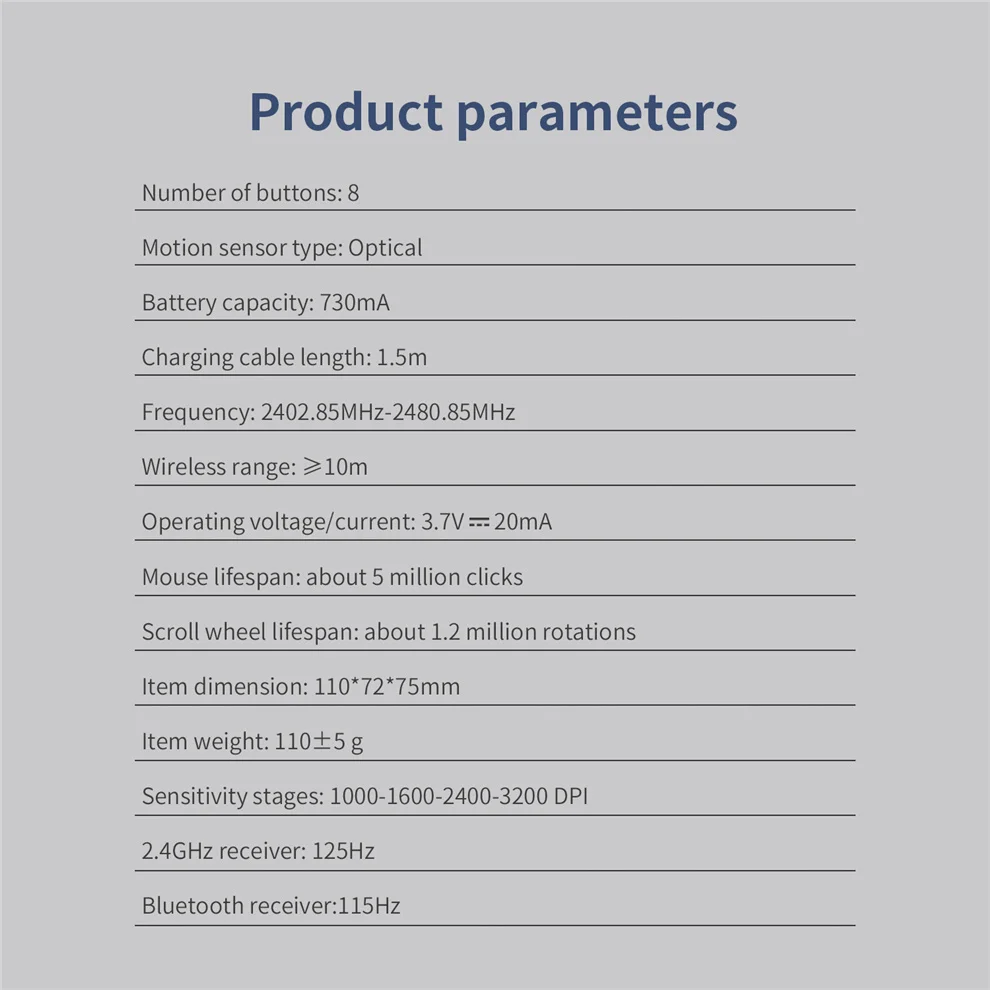
Number of buttons: 8
Motion sensor type: Optical
Frequency: 2402.85MHz-2480.85MHz
Wireless range: ≥10m
Operating voltage/current: 3.7V20mA
Mouse lifespan: about 5 million clicks
Scroll wheel lifespan: about 1.2 million rotations
Item dimension: 110*72*75mm
Item weight: 110±5 g
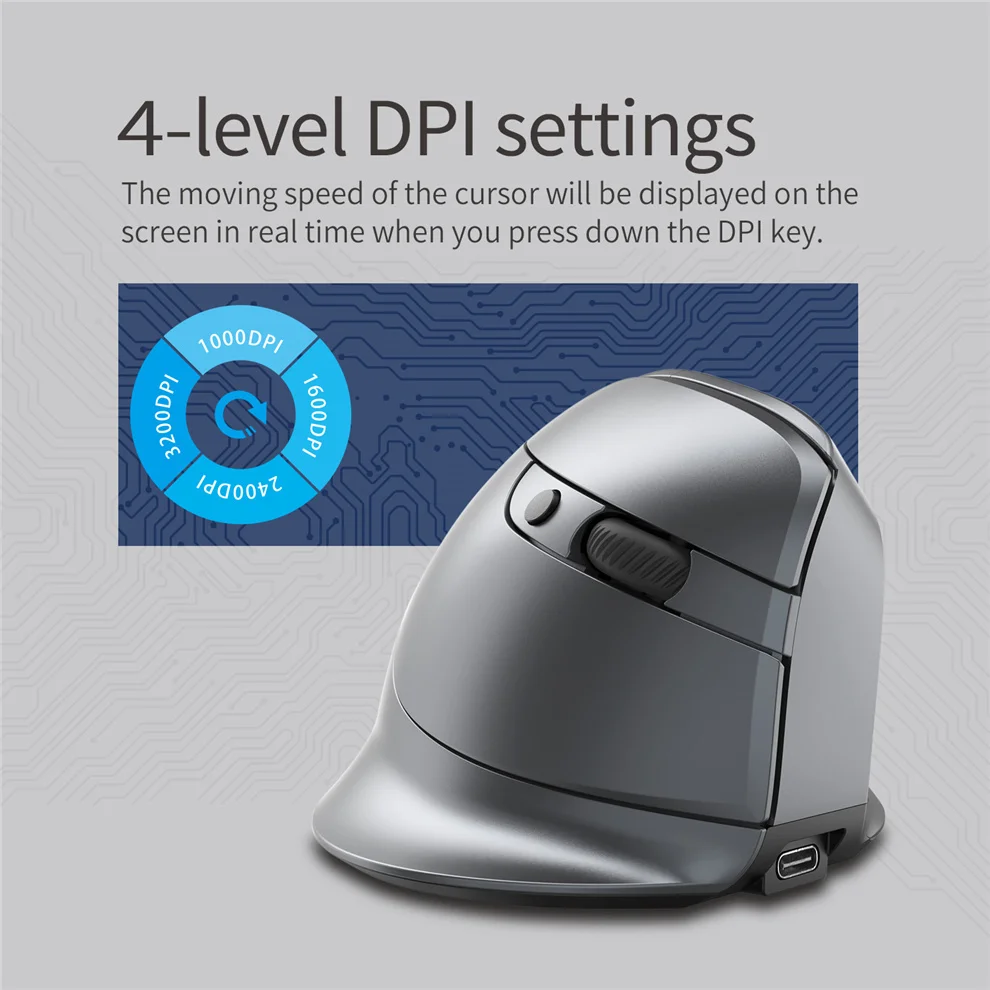
Sensitivity stages: 1000-1600-2400-3200 DPI
2.4GHz receiver: 125Hz
Bluetooth receiver:115Hz
Features:
Recharge indication:
plug in the cable; if charging has commenced, the charging indicator light at the bottom of the mouse will remain lit. Once the mouse is fully charged, the indicator light will turn off; at the same time, the OLED screen will also indicate that the mouse has been “fully-charged”.
Low-battery warning:
the battery icon on the screen will flash as a warning once the battery’s power level drops to 30%.
Status indicator lights:
pick up the mouse and slide the power to “ON7”, you can tell from the two different blipping indicator lights which device is currently being connected. In addition, the OLED screen will also display this information.
Mouse sensitivity:
Press the DPI button (button⑦) to display the four sensitivity stages:
1000/1600/2400/3200 DPI.
What to do if the mouse has no response?
1.Plug the cable into the power supply and charge the mouse.
2.Plug the receiver to another USB port.
3.Make sure the Power switch at the bottom of the mouse is on or has been slid to  .
.
4.Try restarting the computer.
5.Simultaneously hold the right and middle mouse buttons, open the switch button, plug in USB receiver and release the buttons after 5 seconds to reset the existing pairing. (While pairing, keep the mouse and receiver within a 30-cm radius.)
6.Get technical support from [email protected] if the above troubleshooting fails to solve the problem.


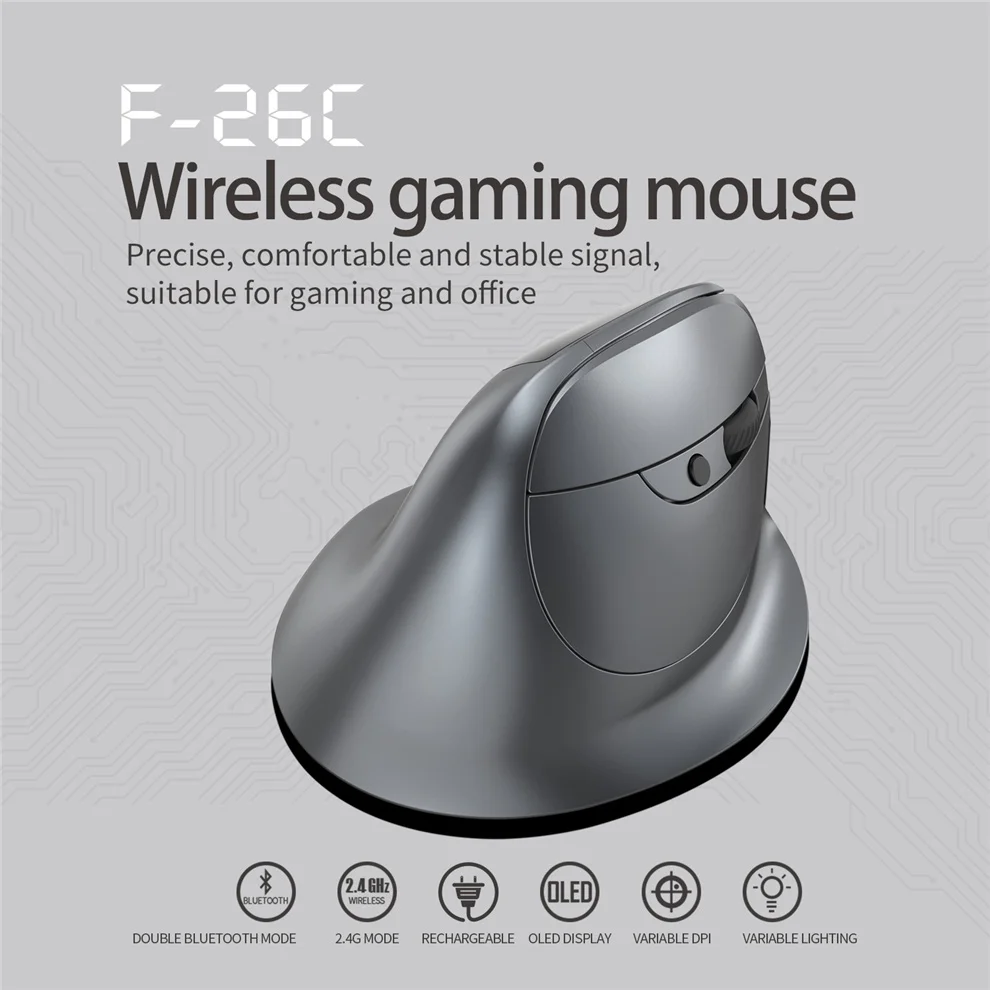


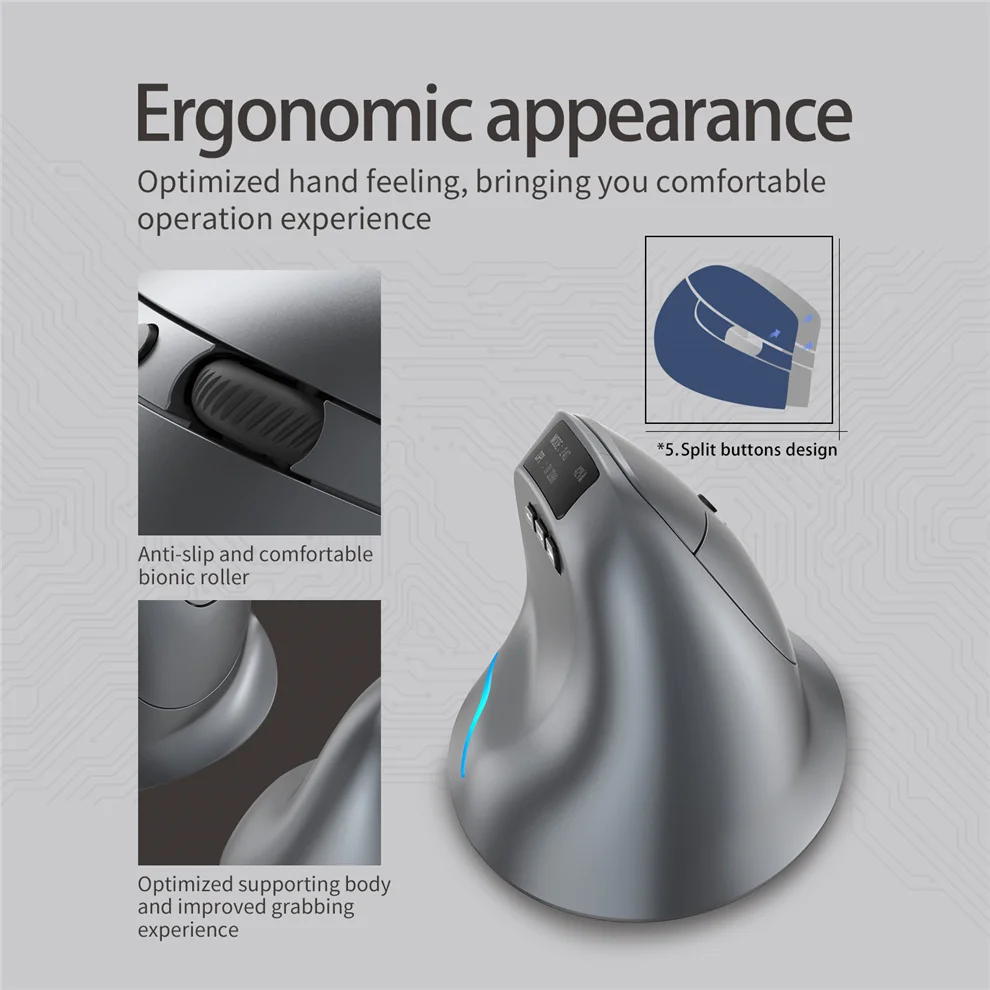



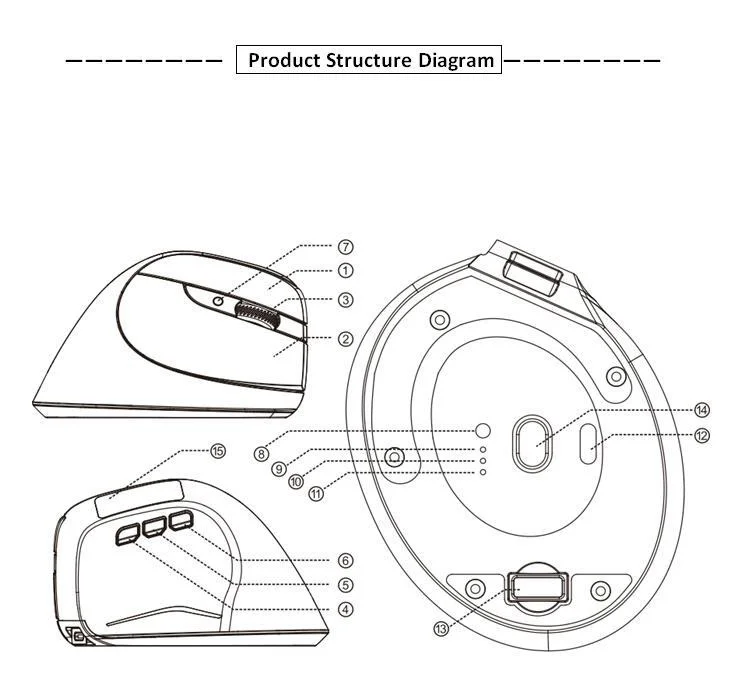
Component function description
(1)Left key②Right click③Middle key
4.Forward key⑤Backspace⑥Light switch key
⑦ DPIkey⑧Bluetooth key⑨Charging indicator
⑩ 2.4GHzindicator light⑪optional feature⑫power switch
⑬receiver⑭Lens⑮ OLEDdisplay screen
[Bluetooth profile]
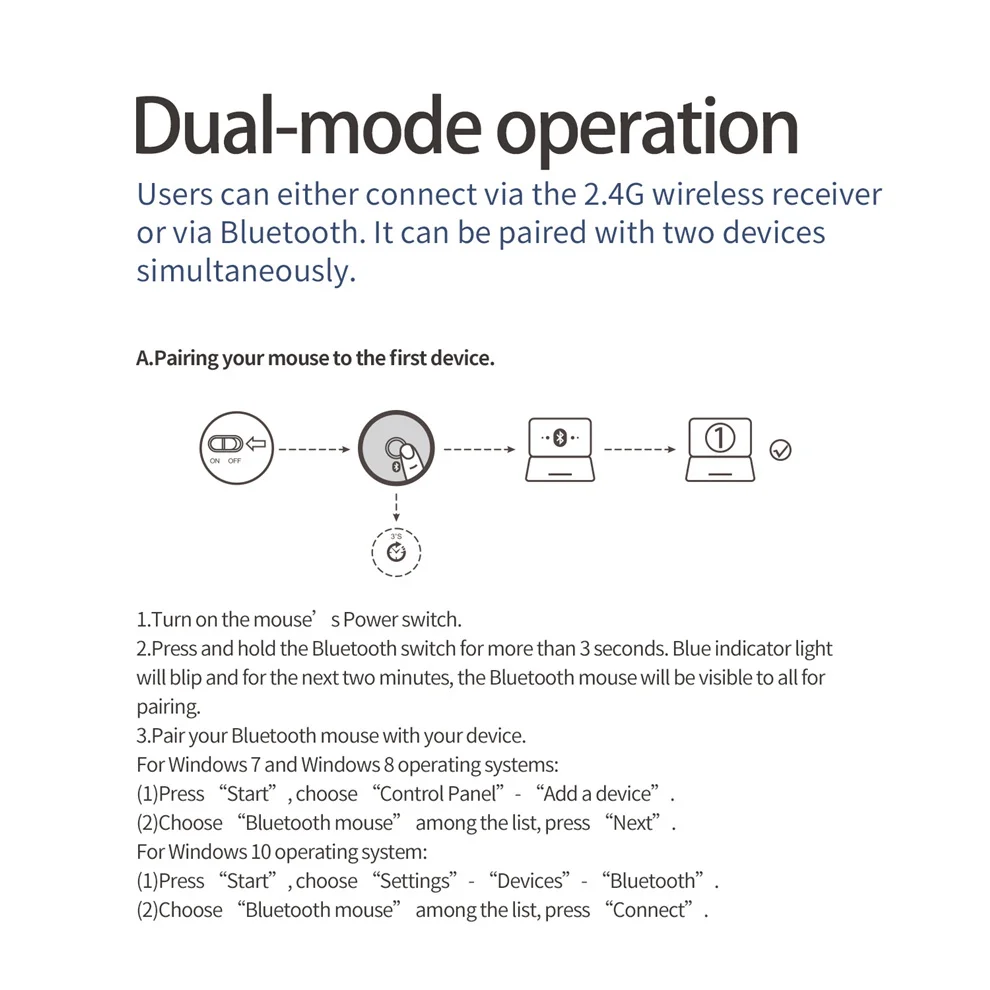
A.Pair your devices.
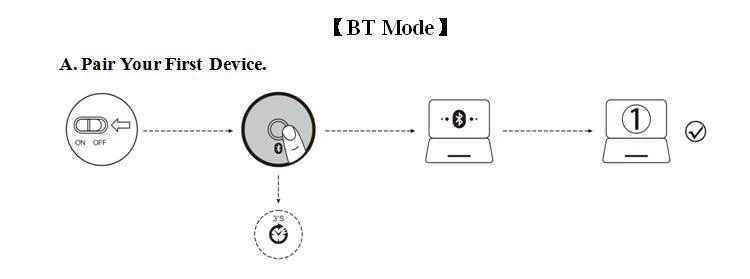
1Turn on the mouse power switch.
2.Long press Bluetooth key3More than seconds, the blue light flashes quickly, and the mouse is in2Will be searchable within minutes.
3.Complete Bluetooth pairing on your device:
Windows 7and8:
(1)Click Start and select Control Panel>Add Device.
(2)Select from the list“Bluetooth mouse”, click Next.
Windows 10:
(1)Select Start, select Settings>Devices>Bluetooth.
(2)Select from the list“Bluetooth mouse”, click “Pair”.
4.Switch devices.
Short press the Bluetooth key to2Cyclic switching between paired devices (via Bluetooth connection1Equipment, through2.4GHzReceiver connection1Equipment).
No more offers for this product!
General Enquiries
There are no enquiries yet.
You also viewed …

Related Products

KingFast External SSD HD 1TB 2TB 24…
Price range: ₵1,388.00 through ₵6,282.00Seenda Vertical Ergonomic Wireless …
Price range: ₵327.49 through ₵369.49COOLCOOLD Laptop Cooling pad for 12…
₵594.49Bluetooth Vertical Wireless Mouse f…
Price range: ₵425.49 through ₵457.49Corsair Vengeance DDR5 RAM 16GB/32G…
Price range: ₵3,068.00 through ₵38,321.00Seenda Vertical Wireless Mouse Type…
Price range: ₵296.99 through ₵315.598GB SK hynix DDR4 RAM laptop/notebo…
₵400.00BTS-908 Hot Selling Rechargeable Ve…
Price range: ₵215.49 through ₵224.49MOVESPEED ST10 1050MB/s Portable SS…
Price range: ₵2,136.00 through ₵4,017.001600DPI USB Vertical Wired Mouse Er…
Price range: ₵178.49 through ₵181.49Jomaa 2.4G Wireless Vertical Mouse …
₵331.49Original ihoyi Wireless Mouse Verti…
Price range: ₵186.49 through ₵203.49Jomaa Wired Gaming Mouse RGB Vertic…
₵296.49Crucial Notebook DDR3 RAM DDR3L 4GB…
Price range: ₵174.49 through ₵891.99ZELOTES T-20 Mouse Wired Vertical M…
₵269.59Rechargeable Wireless Vertical Mous…
₵475.992GB Samsung DDR3 RAM laptop/noteboo…
₵150.00Wired Right Hand Vertical RGB Mouse…
₵185.99


