
Welcome to our Knowledge Base
How to create account
Creating a TopBuyGH account is as easy as ABC. Just follow these simple steps.

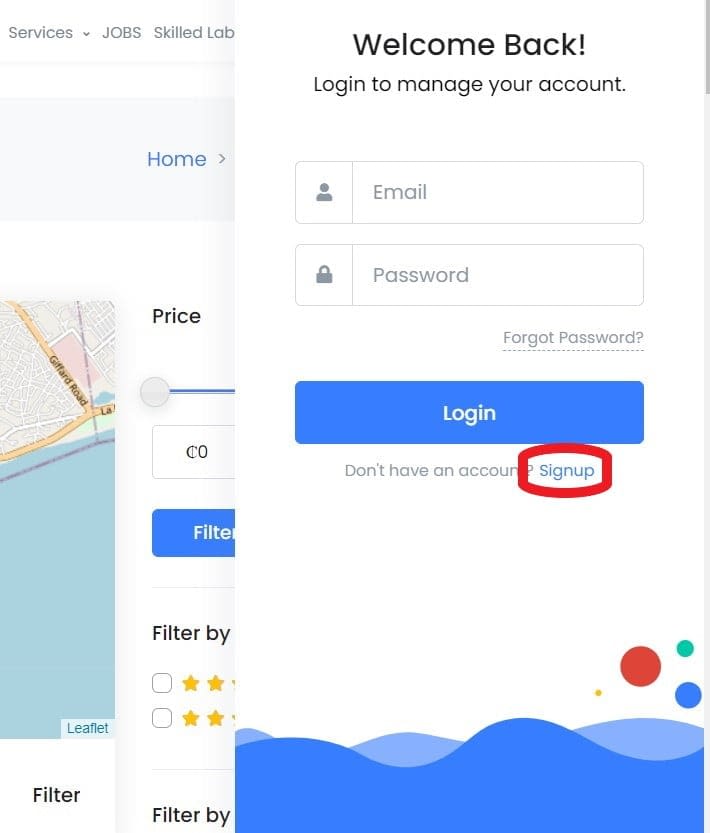
- Click the user profile avatar in the top bar.
- Click the Signup link just below the login button.
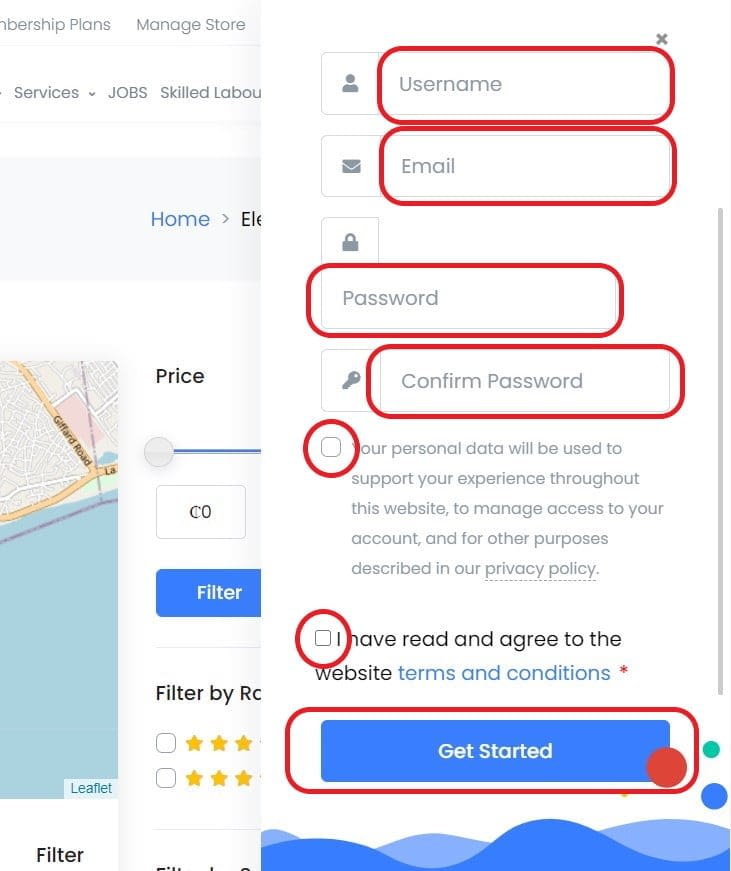
- Enter a username that will serve as a unique identification on TopBuyGH.
- Enter an email address TopBuyGH can use to contact you.
- Enter a password. See Tips for creating a strong password.
- Open and read the TopBuyGH privacy policy by clicking the privacy policy link. Open and read the TopBuyGH terms of service by clicking the terms and conditions link. Check the acceptance boxes for both the privacy policy and terms of service and proceed with the registration process if you agree to both of them.
- Click the “Get Started” button.
- Voila! Your TopBuyGH account has been successfully created.
Note that all the above fields are required.
See these instructions for creating a seller account: Create seller account from scratch or Convert a buyer account into a seller account.