
Welcome to our Knowledge Base
-
Common
-
Selling
-
Products
-
Services
-
Buying
< All Topics
Print
Editing an existing product
Posted
Updated
ByFelix Mahama
Views23
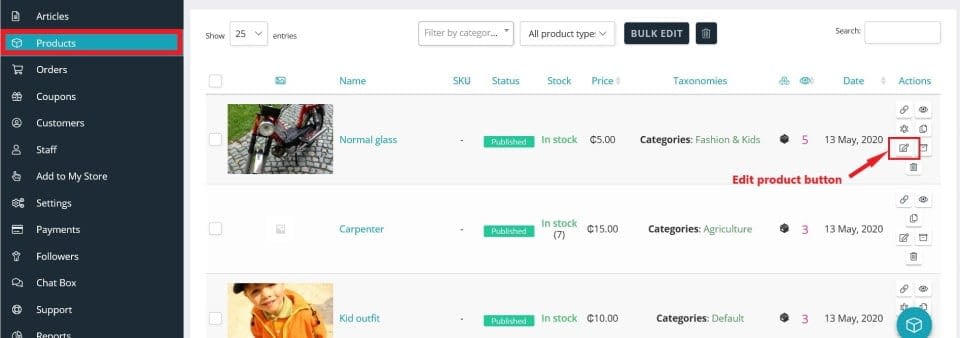
To edit an existing product
- Access your seller dashboard.
- Click “Products” in the left side menu.
- Search or scroll to find the product you wish to edit.
- Click the edit button at the extreme right of the product listing.
- Follow the instructions for adding a new product.
Table of Contents