
Welcome to our Knowledge Base
-
Common
-
Selling
-
Products
-
Services
-
Buying
< All Topics
Print
How to log in
Posted
Updated
ByFelix Mahama
Views21
To be able to access certain features on TopBuyGH, a user needs to log in to their TopBuyGH account. You can create a TopBuyGH account if you do not already have one. The login process is the same for both sellers and customers.

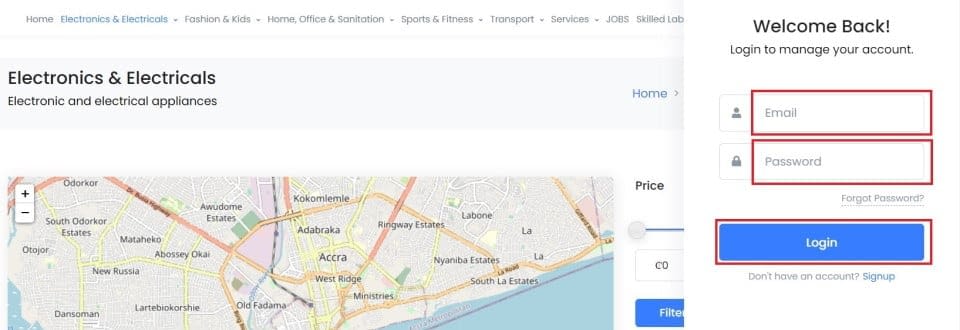
- Click the user profile avatar in the top bar.
- Enter the username or email associated with your TopBuyGH account in the email field.
- Enter the password you created when you created your TopBuyGH account.
- Click the “Login” button.
- Voila! You are in your TopBuyGH account.
Table of Contents