
Welcome to our Knowledge Base
-
Common
-
Selling
-
Products
-
Services
-
Buying
< All Topics
Print
Convert a customer account into a seller account
Posted
Updated
ByFelix Mahama
Views38
If you already have a customer account on TopBuyGH, you don’t need to create a new account to become a seller. You can convert a customer account into a seller account. Follow the below procedure. If you do not already have a customer account, you need to create a seller account from scratch.
Log in to your TopBuyGH account.
Option 1
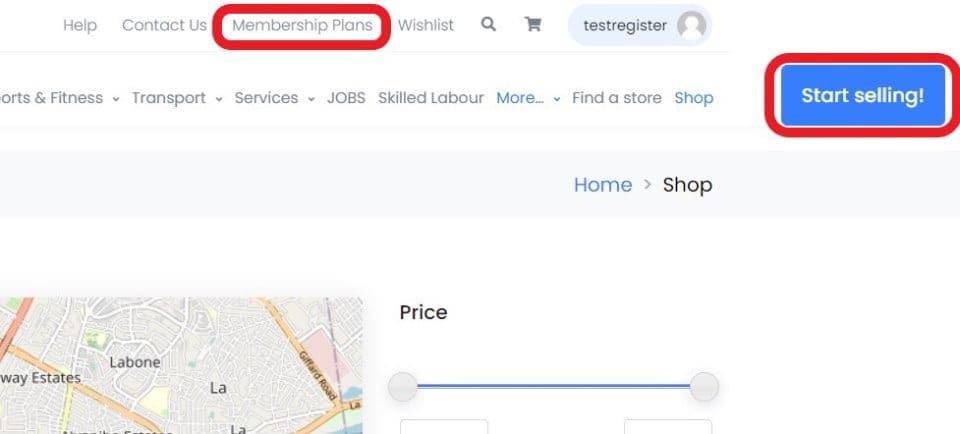
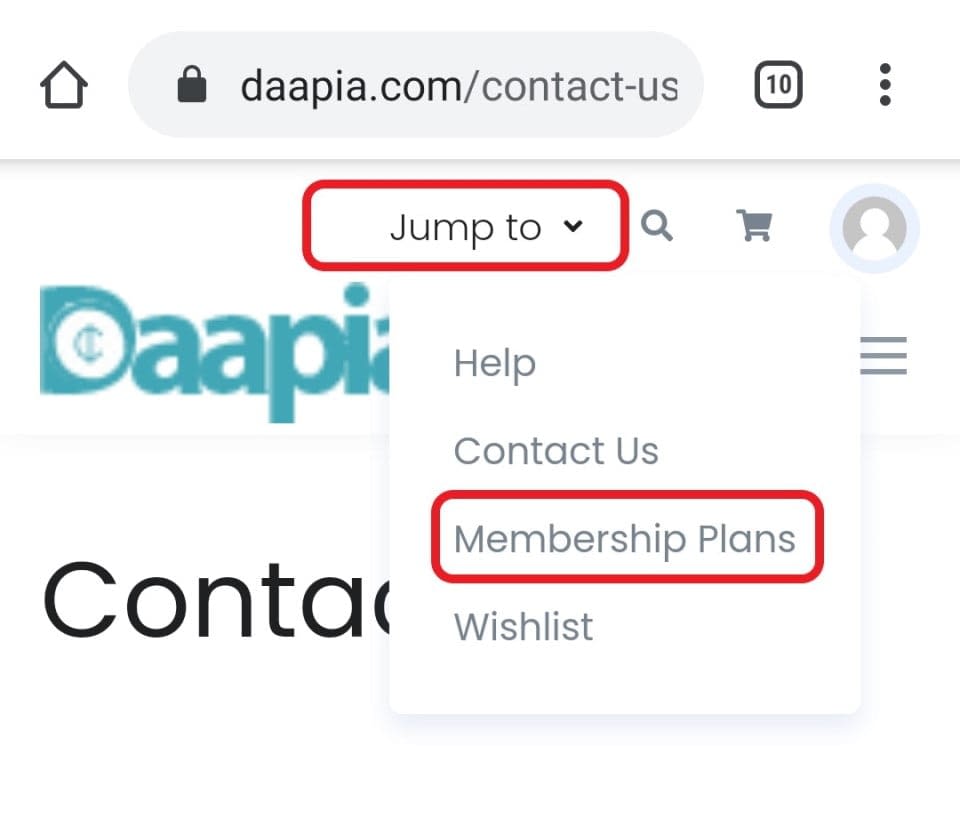
Click the “Start selling!” button, or the “Membership Plans” link in the top bar. This takes you to the membership plans page to choose a membership plan.
Desktop
Option 2
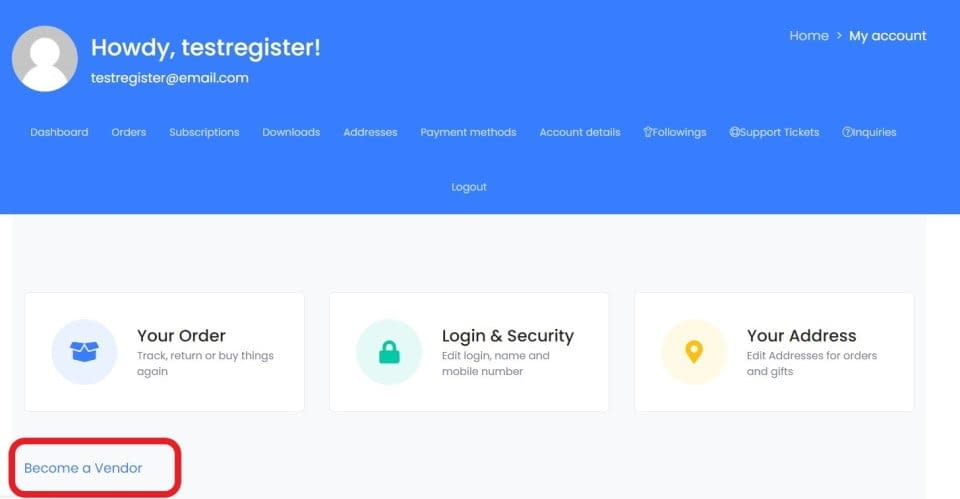
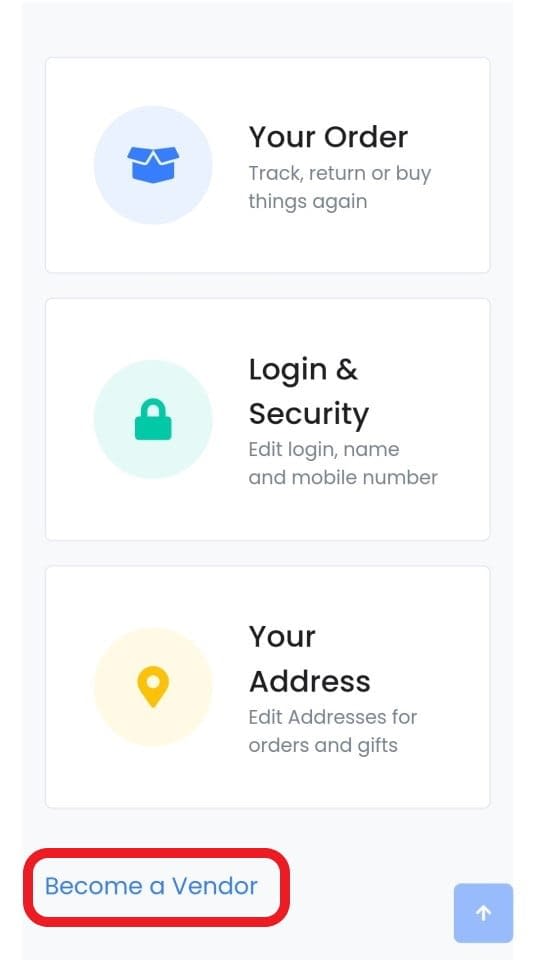
- Access your account dashboard.
- Click the “Become a vendor” link in your account dashboard.
Mobile
Next step is to choose a membership plan.
Table of Contents